
More than a test result
Every tested player gets a personal dashboard. See where they are today, how they compare with their age group, how they are progressing and what to practise next. Coaches get a squad view that turns results into decisions.
The screenshots below show demo accounts with invented players.
Your child’s dashboard
Everything is in plain English, with the real numbers behind it.
One clear answer
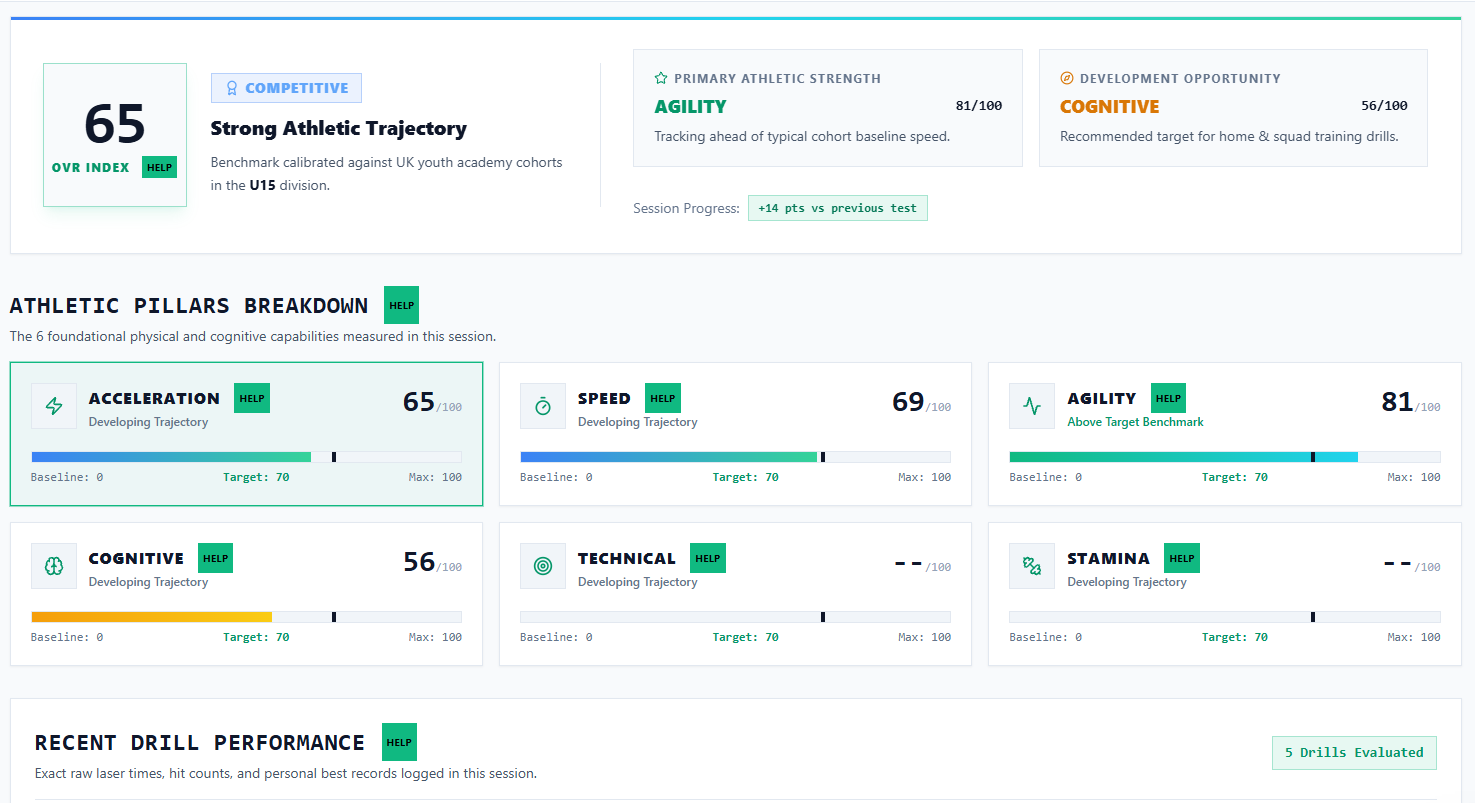
How is my child doing? The dashboard opens on the answer.
- An overall score out of 100 for the latest session
- How many tests were logged and the change since the last session
- Their strongest area and the main area to work on
Honest comparison
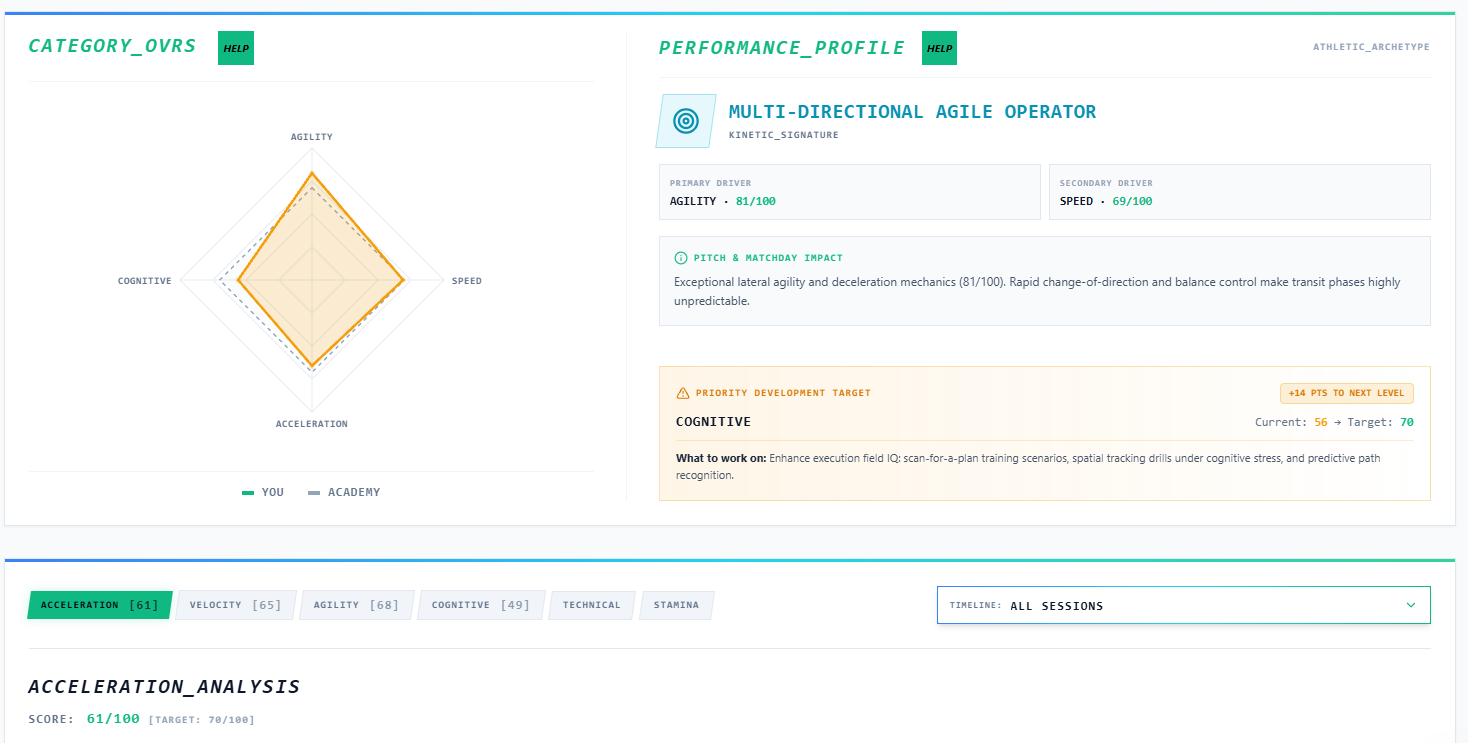
Each result is shown next to the average for the player’s age group, so a time on its own starts to mean something.
- The real result for every test, not just a rating
- Strengths and gaps in the same view
- No pass or fail, only where the player is today
Progress you can see
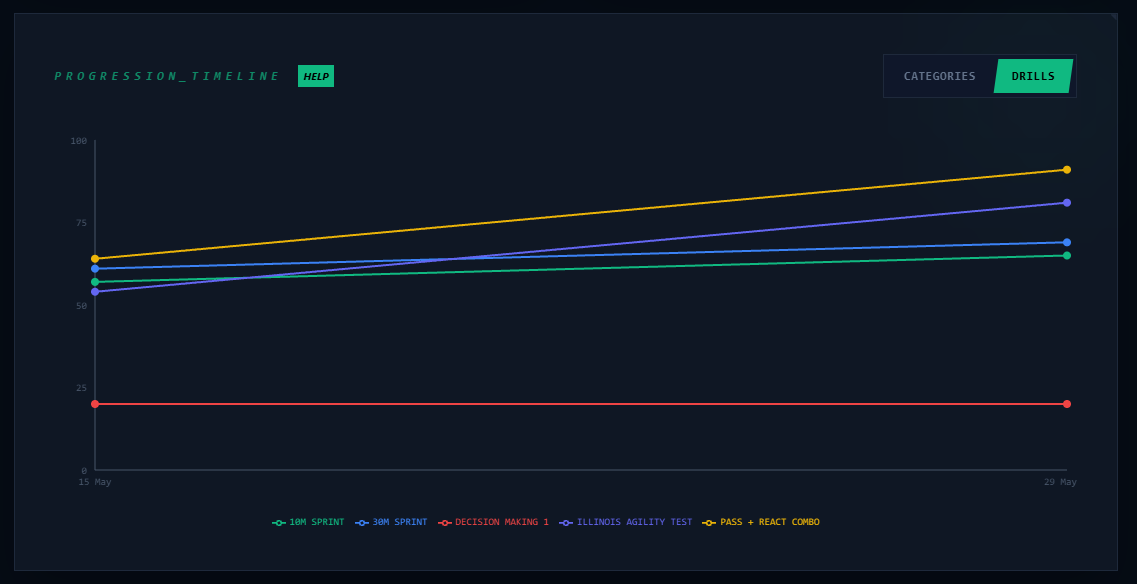
Every session is stored, so it is easy to see what training is doing.
- A trend chart across sessions
- The change since the previous test
- A personal report for each session, with a PDF you can download
What to do next
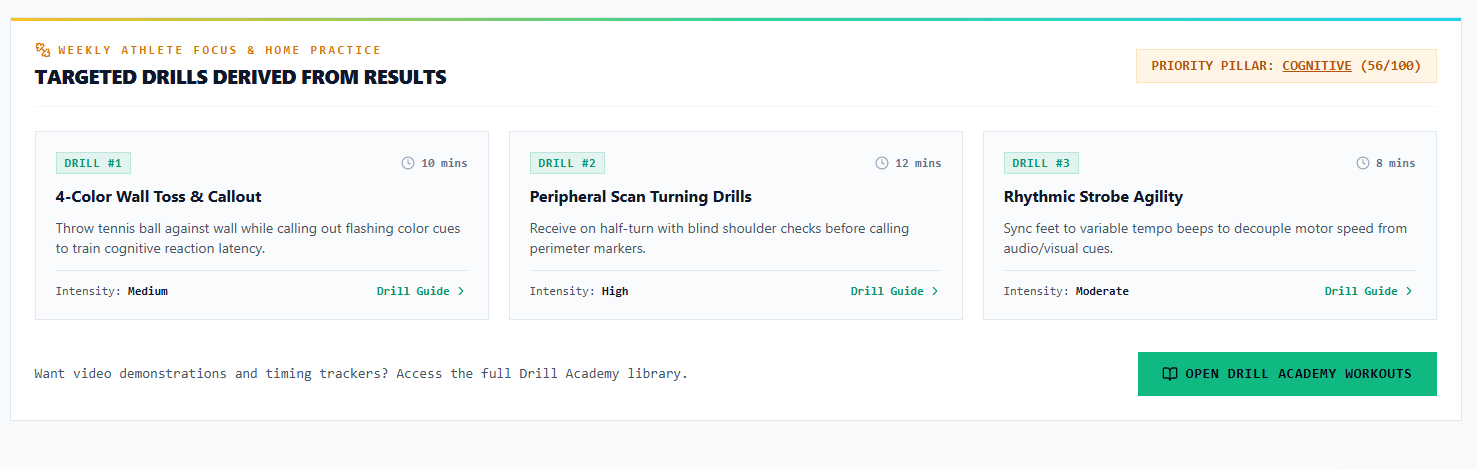
The dashboard turns results into a plan, so parents are not left guessing.
- A main focus area, with a target and plain-English advice
- A short weekly list of home drills built from the results
- A library of drills to browse by category and position
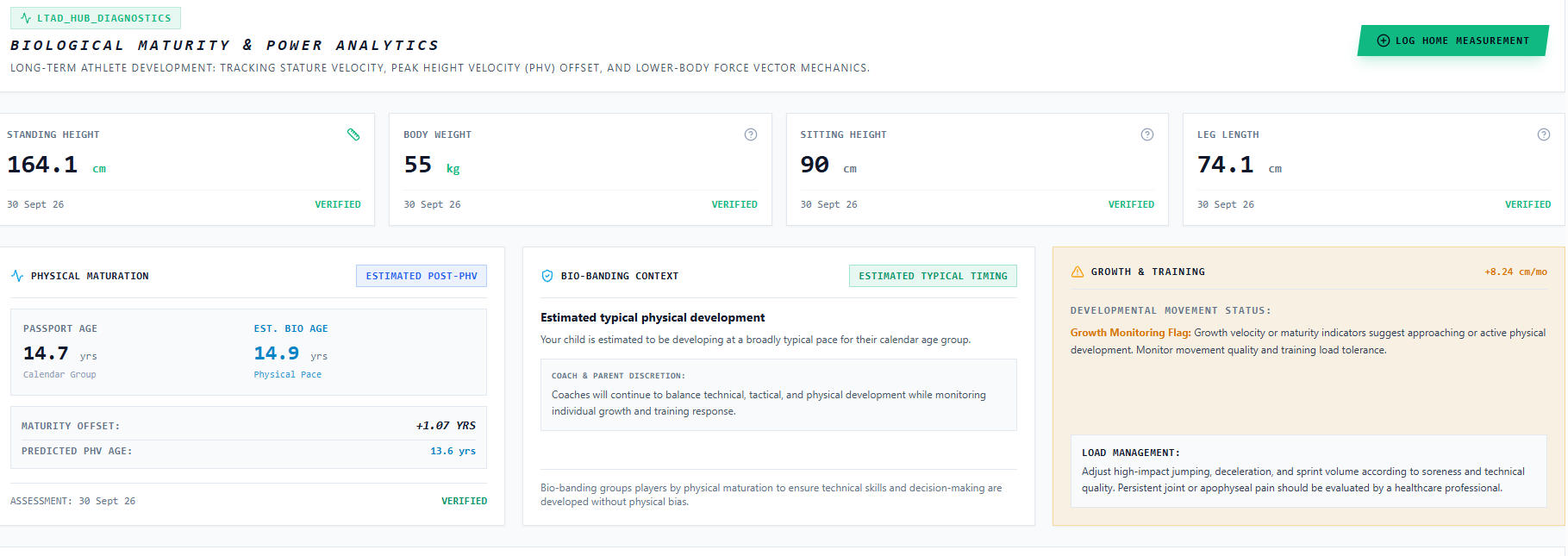
Growth and maturity
Is my child just growing, or are they behind? The growth section helps answer that.
- Height and weight over time, including measurements you add at home
- Estimated growth stage, compared with age
- A plain-English explanation, plus advice to see a healthcare professional for any pain that persists
Something to be proud of
Progress is easier to keep up when it is fun. Every result a player earns at a session counts towards something.
Rivals leaderboard
See how your best times compare, test by test.
- Best results for each test, across all eight pillars
- Compare with your own age group, or every VLTIX player
- Other players are shown as rivals, never by name
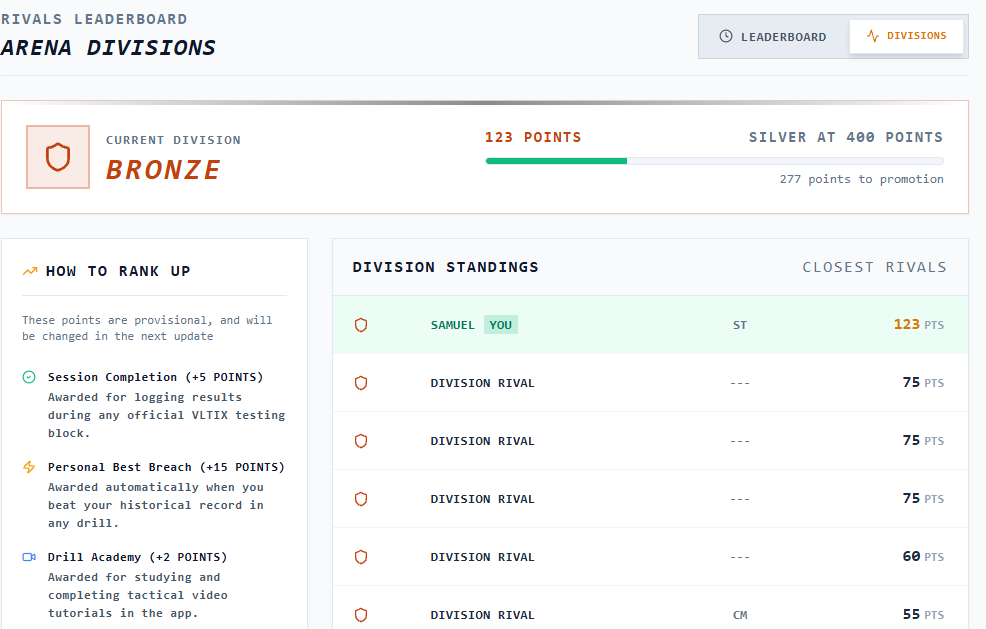
Divisions
Start in Bronze and work your way up.
- Points for completing sessions and beating your personal bests
- Extra points for lessons in the Drill Academy
- Rewards effort and improvement, not just talent
Trophy room
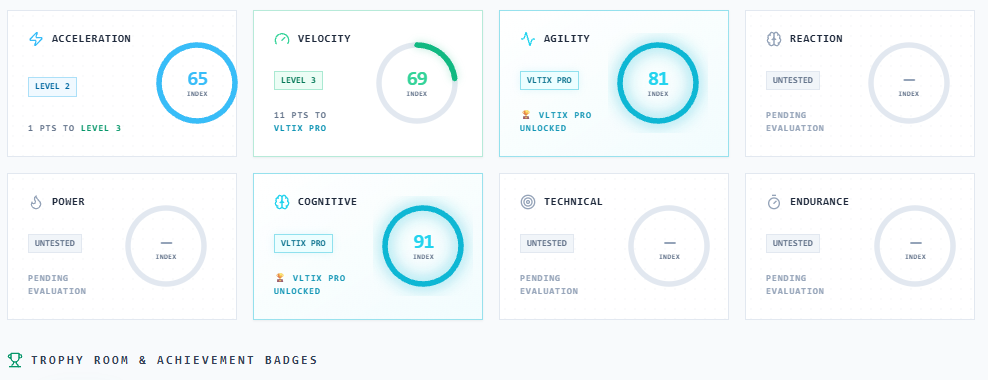
Every category has its own level to unlock.
- Level up in speed, agility, reaction and more
- Badges for milestones, like a new personal best
- An overall level that grows with every session
Player Card
A card they will want to share.
- Choose up to six of your best results
- Add an avatar or your own photo, and your club
- Download an image ready for social media
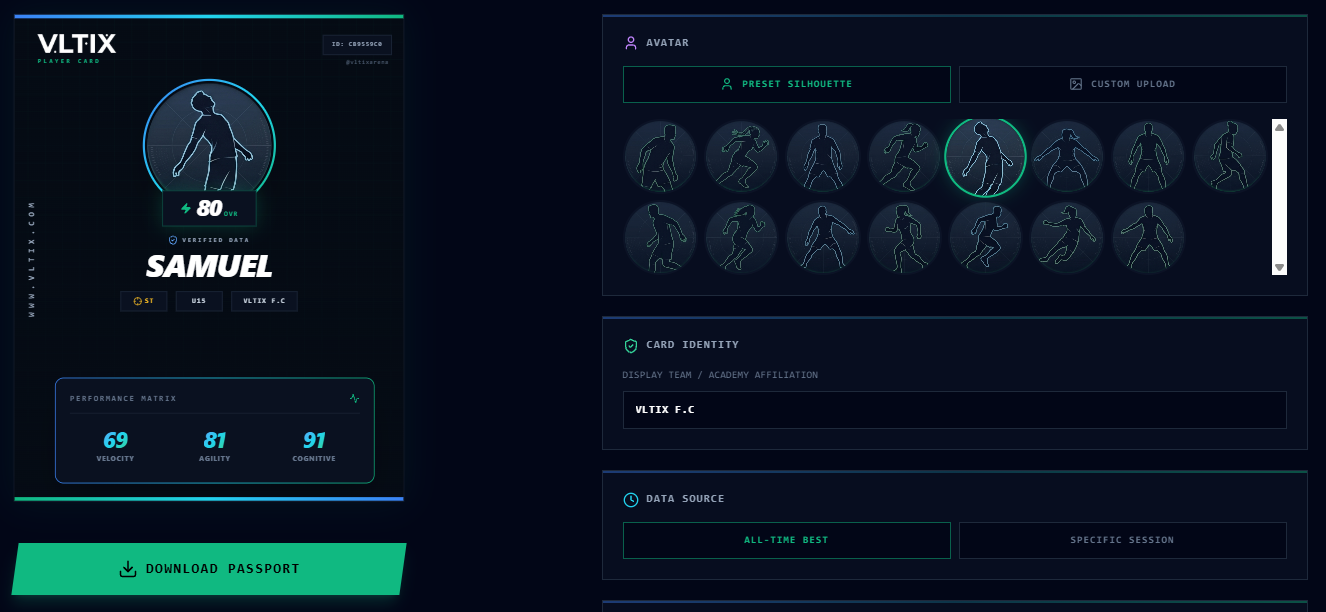
Every number on a Player Card comes from a VLTIX testing session. Nothing is shared unless the family chooses to share it.
The squad view
One screen for the whole squad, with each number explained.
Know your squad
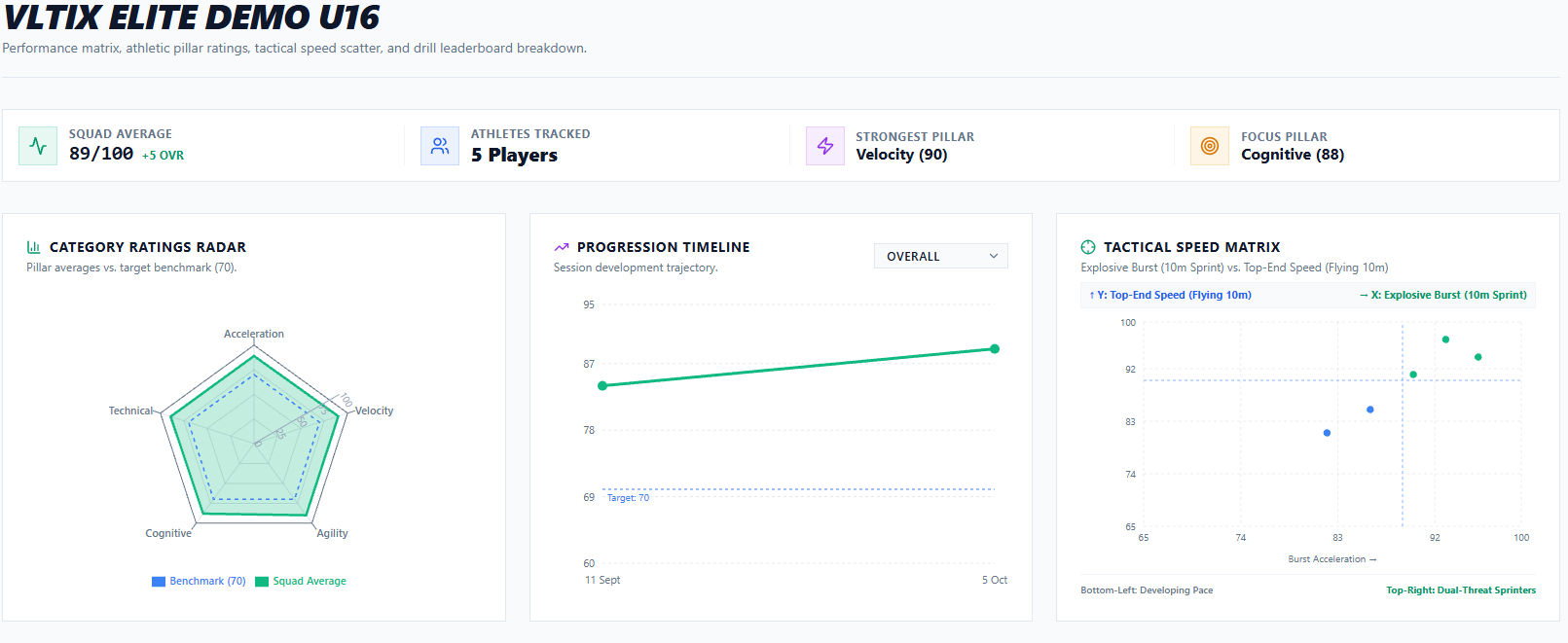
See the squad at a glance.
- The squad average and how it has changed from baseline
- Your most improved player
- The main area for the squad to work on, and the latest session
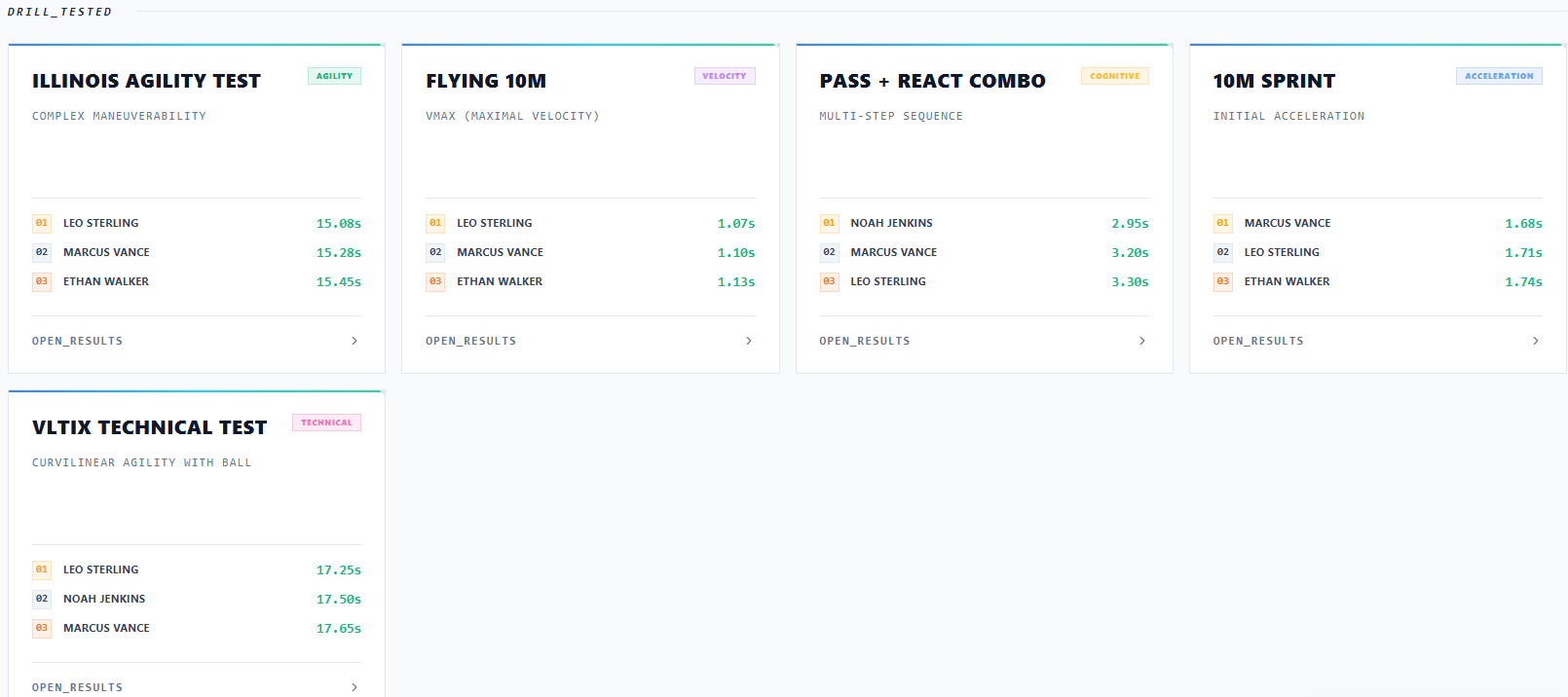
Every session, every test
Compare sessions and spot where the squad is strong or behind.
- Session history with players, tests and squad score
- Squad results for each test and pillar
- Player pages with progress and best category
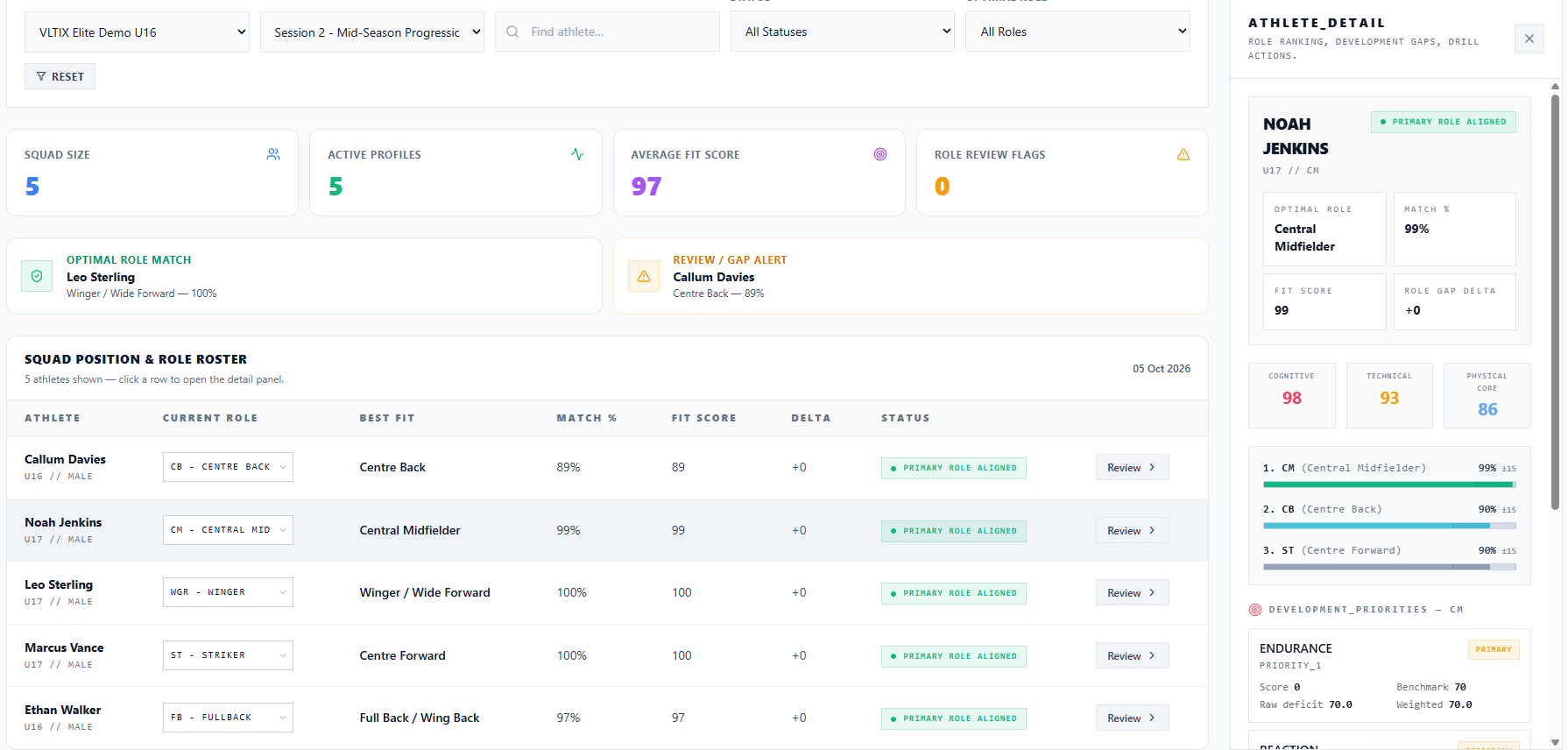
Role fit
Match players to positions using what the tests show.
- How each player’s profile fits the demands of a position
- Suggestions to compare, not to replace your own judgement
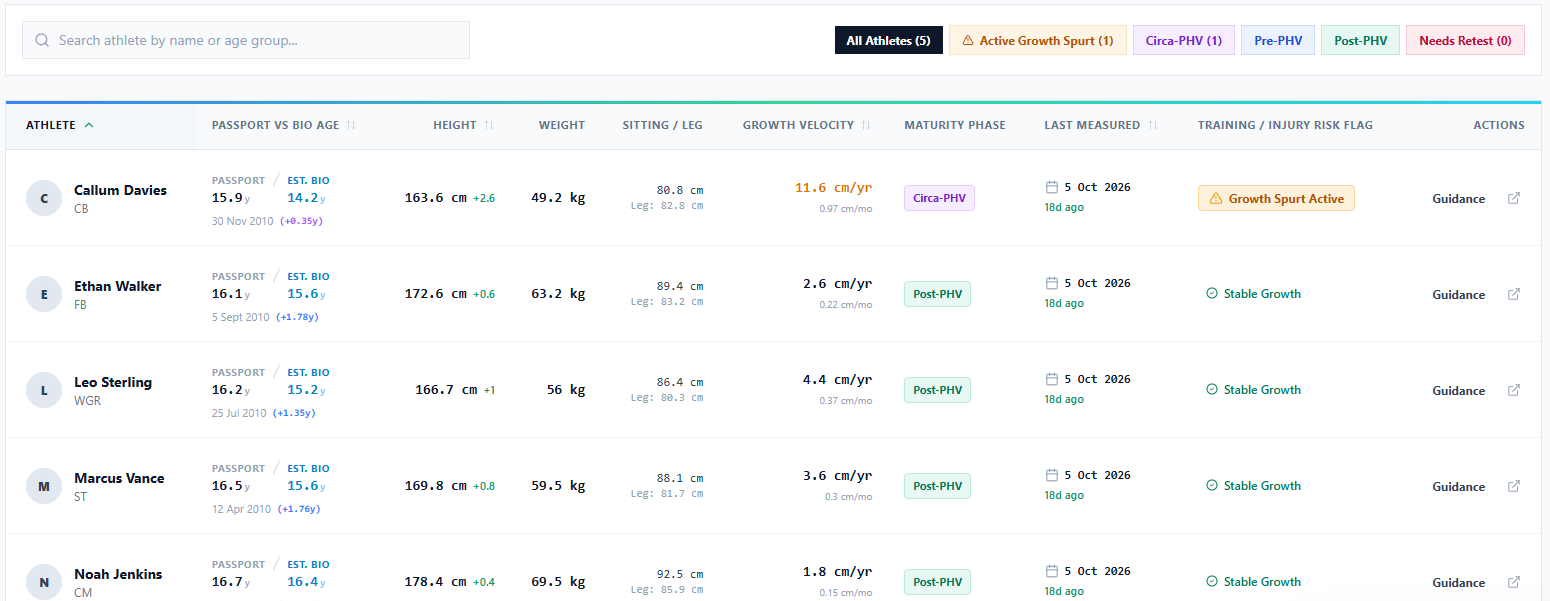
Growth and load
Spot players in a growth spurt, so training load can be managed.
- Height and growth stage for the squad
- Players who may need their load looked at
- Guidance, not medical advice
And the Assistant Coach
Ask a question about your squad in plain English and get an answer, and a training session, built from their own results. Book a demo and we will show you.
Every tested player gets
- Parent access to the dashboard
- Coach access to their results
- A personal profile page you can open without an account
- Access to the mobile app once it launches
See your own numbers
Book a session and your player’s dashboard is set up for you. It takes about two minutes to book, and you do not pay anything until we confirm your place.